
Logicalgamer Flight Control
Dual VKB Gladiator NXT EVO sticks, set up for Star Citizen with one button and kept that way. Free, and MIT licensed.
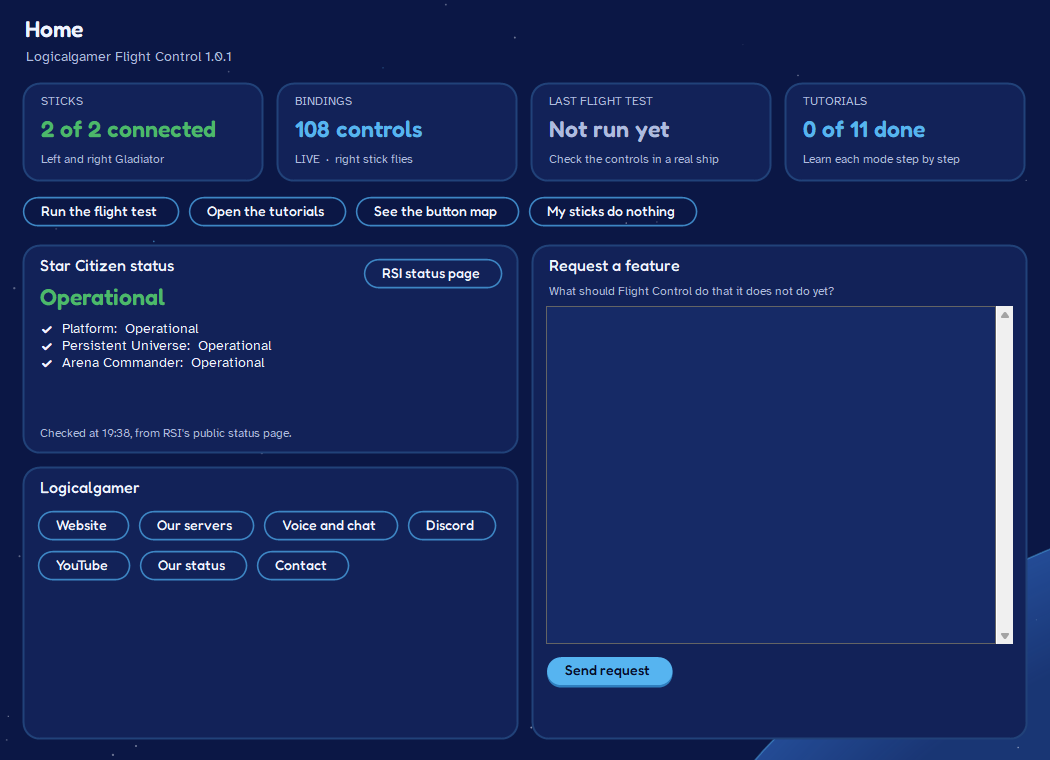
Download
Download for WindowsWindows may warn about an unrecognized app, because we don’t pay for a code-signing certificate. Click More info, then Run anyway.
What you need
- Windows 10 or 11, 64-bit. Nothing else to install.
- Star Citizen, installed.
- Two VKB Gladiator NXT EVO sticks, a left and a right. Throttles, pedals and single sticks aren’t supported yet.
Check your download
SHA-256 of Logicalgamer-Flight-Control-Setup-1.1.0.exe
37d23dade8bd44f14f5a4b82db2a0db4ad52fae3d1920d0e4df4039c17965744
In PowerShell, in the folder you saved it to
Get-FileHash .\Logicalgamer-Flight-Control-Setup-1.1.0.exeThe Hash it prints should match the one here. If it doesn’t, don’t run it, and tell us.
VirusTotal runs the file through dozens of antivirus engines. New programs without code signing sometimes get a flag or two from engines that guess by reputation, so look at which engines flagged it and what for.
Button map
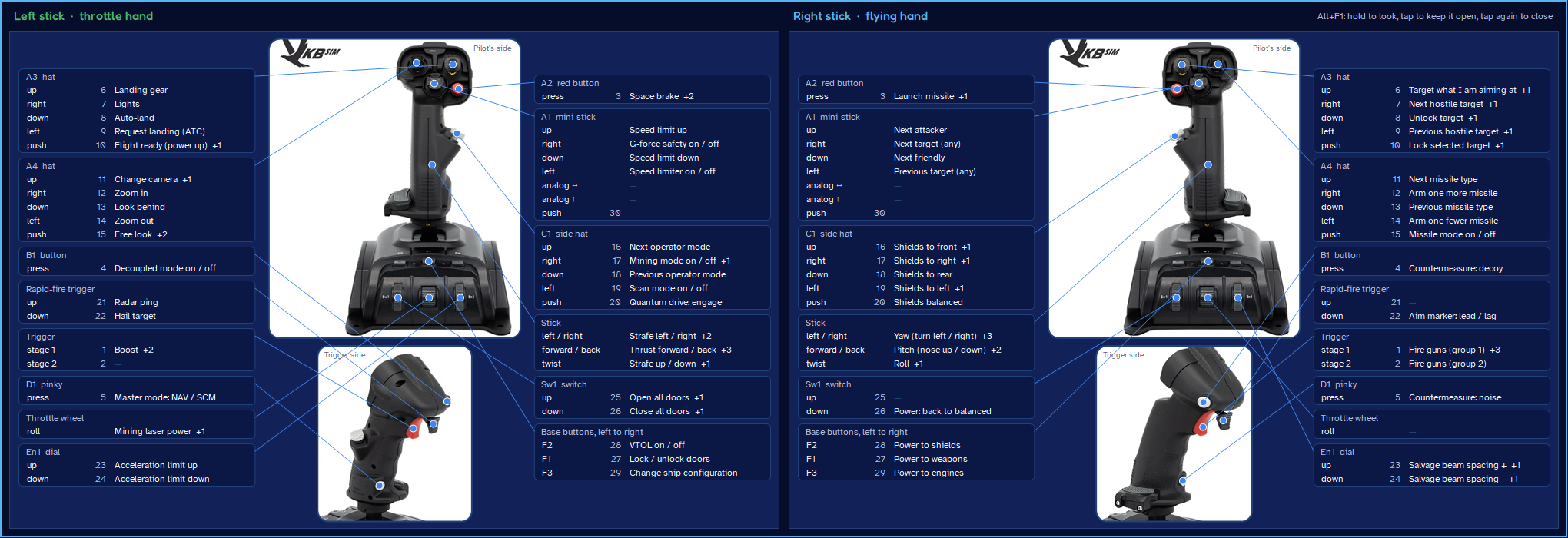
Every button, labelled
-
Button mapA labelled picture of both sticks showing what every button does. Press a button and it lights up. Show it over the game with a hotkey, save it as a picture or print it.
-
Dead zones and curvesTune how each axis feels: dead zones and response curves, without opening the game’s menus.
Setup
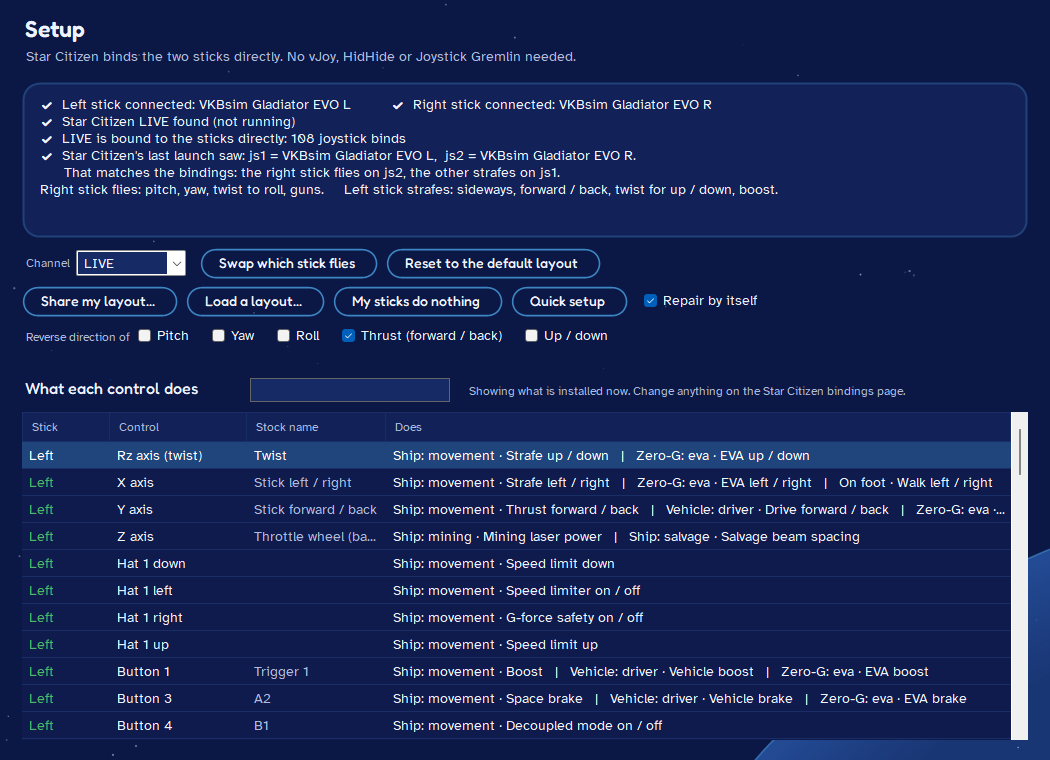
Plug in, press one button
-
One-button setupIt finds both sticks and Star Citizen, asks which hand flies, and installs a cockpit-style layout. Your keyboard and mouse settings stay as they were.
-
Survives game patchesWhen a patch wipes your bindings, it puts them back by itself. If the game numbers your sticks the other way round, it fixes that too.
Flight test
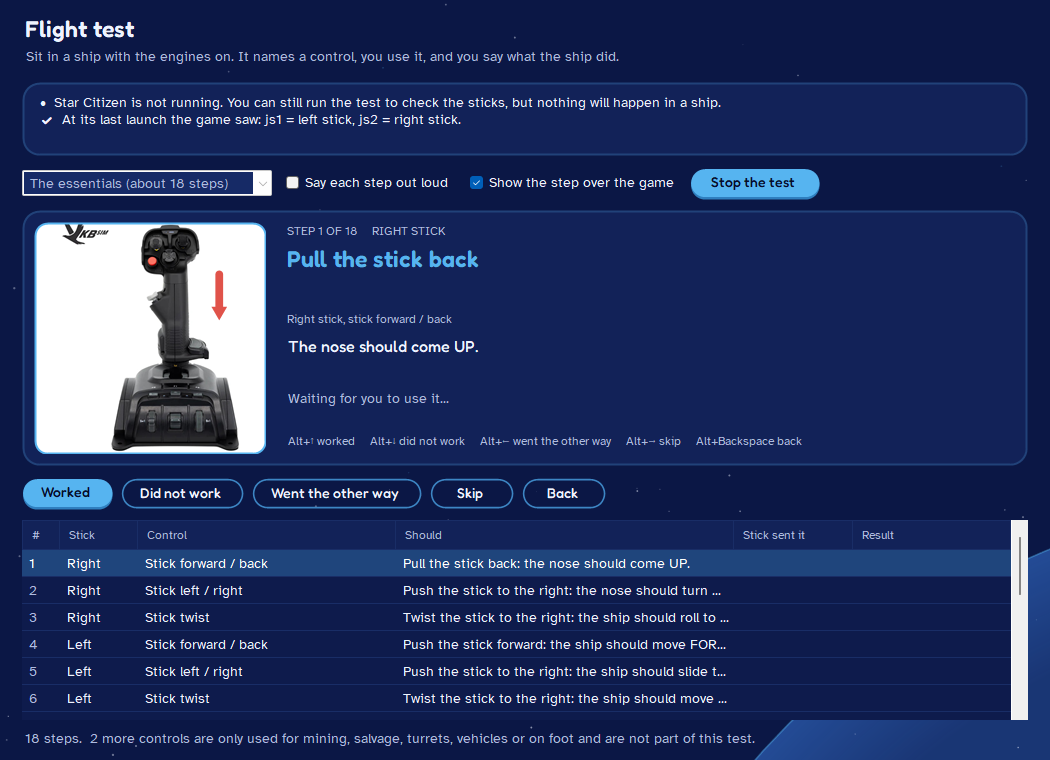
Know it works before you launch
-
Guided flight testWalks you through each control so you know everything works before you take off.
-
Nothing extra to installNo VKBDevCfg, vJoy, HidHide or Joystick Gremlin: the game reads the sticks directly. Installs just for you, with no admin rights.
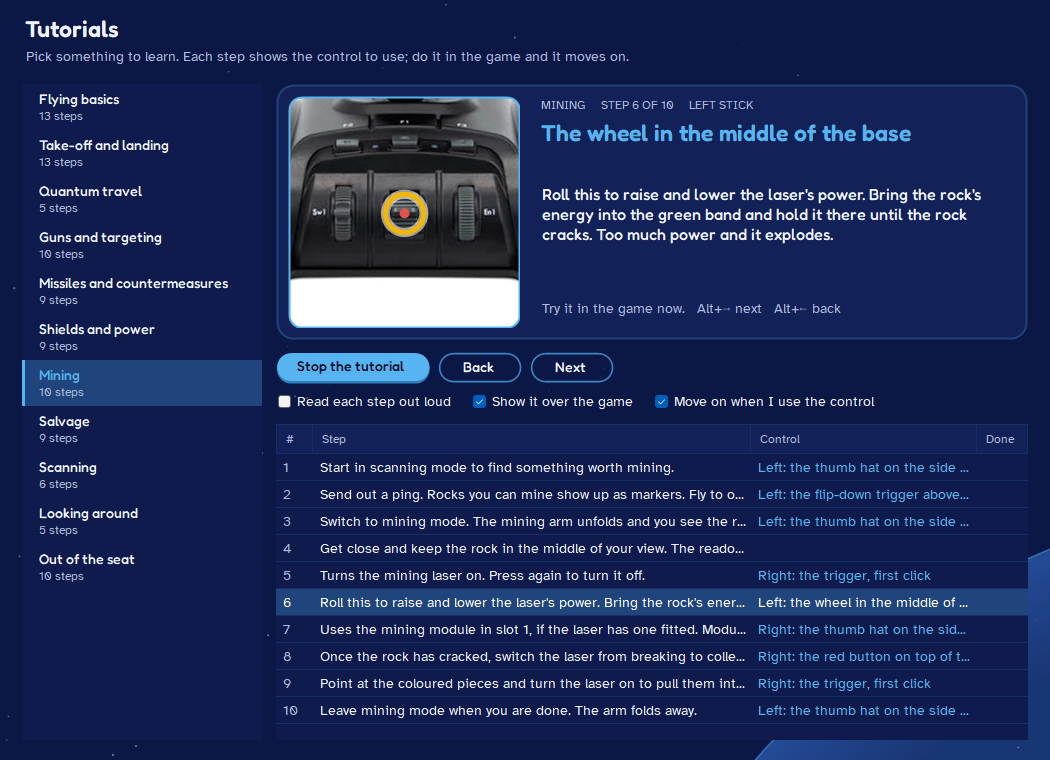
Tutorials
Learn the layout as you fly
-
TutorialsStep-by-step guides for flying, combat, mining and salvage, written for this layout.
-
Updates itselfChecks this website once a day. Every update is signed by us, and the app refuses anything that isn’t.
Free and open
MIT licensed: use it, share it, change it. The fonts are under the SIL Open Font License, and the pictures of the sticks belong to VKB.
Star Citizen is a trademark of Cloud Imperium Games. VKB and Gladiator are trademarks of VKB. This is an independent tool, not affiliated with or endorsed by either company.